Pages

Saturday, August 27, 2016

Goldberg Retuns to WWE?

Goldberg Return to WWE?

Goldberg returns to WWE?


When we talk about WWE's top dominant forces of all time there are only few wrestlers that always come to our mind. First wrestler to come out on top of list is Brock Lesnar who is the current dominant force in the WWE roster. His recent match with Randy Orton certainly became one of the highlights of the year. He recently became the cover superstar of WWE 2K17.

Friday, August 26, 2016

Steve Rogers is not Captain America?

Steve Rogers is not Captain America?

Steve Rogers is not Captain America?


Good News! On September 13, the official Captain America: Civil War Blu-ray and DvDs are getting released. But it is not like we have not seen the movie already right? If you still have not seen the movie please watch it before reading this article.

Thursday, August 25, 2016

Brock Lesnar vs Randy Orton Real?

Brock Lesnar vs Randy Orton Real?

Brock vs Randy Real?


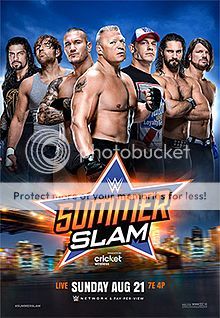
Summerslam2k16 photo 220px-SummerSlam_2016_zpslhj0ervi.jpg

Summerslam 2016 was held in Aug 21,2016 at Barclays Center in Brooklyn and it is WWE's second biggest pay-per-view of the year. This year it had a couple of great matches that caught some extra attention of WWE fans. Here is the match card.

Monday, August 22, 2016

Colossal Caves Walkthrough : Stage 1

Colossal Caves Walkthrough Stage 1

Colossal Walkthrough : Stage 1


You are 'At the end of road' and as the first step you need to grab some stuff that you are going to need to complete the stage 1.
Go in to the house using 'Go in building' or 'enter building'. Then it will say that you have

  • Keys
  • Lamp
  • Food
  • Bottle

Sunday, August 21, 2016

Colossal Caves Commands

Colossal Caves Command

Colossal Caves : Commands

When you are playing the game Colossal Caves you need to know the basic commands of the game in order to interact with objects and the map. Here are some few

  • inventory
  • look
  • go _direction_ (go north)
  • take _object_ (take bottle)
  • unlock grate with key
  • say _word_ (say plugh)
  • throw _object_ at _character_ (throw axe at dwarf)
  • fill bottle
  • eat food
  • pour water
  • switch on/off lamp
  • kill dragon
Special Commands
  • say xyzzy (In debris room)
  • say plugh (In Y2 room)
  • say plover (In plover room)
  • say blast (in very final room)

Adventure : Colossal Caves Intro

Colossal Caves Adventure

Adventure : Colossal Caves Intro


I have recently found out an interesting set of games called 'Text Based Games' thanks to Sheldon in Big Bang Theory (S04E06). Even though he is using an emulator to play the games I searched the web and found out some interesting online based games. Up to this day all the games that I have played are based on graphics and clicking. However these set of games does not involve graphics and I suspect that this is the way that games were created before we had GUI based operating systems. I highly doubt that the people who play games for their graphics will be interested in these type of games. But even though you are one of them go ahead and give it a try because who knows.

The game that I played was 'Colossal Cave' and found it quite interesting. I wasted several hours to figure out how to play the game and I loved the learning curve of it. Generally it is like a 'scavenger hunt', you start at one point and you need to find your way to the finish step by step. Each step should be carried out by typing commands and you can forget your mouse. If you have gone through one of my previous articles Typing Correctly you can use this game to test your typing skills as well. If you have not read the article I invite you to read it and share your opinions with me :D At the moment I started writing this article I have completed the stage 1 of the game and now I am stuck in a maze and it seems like it will take me sometime to figure this out :(

In the beginning you start the game from a location called "At End of Road" and it gives you a small explanation of your surrounding. You are expected to carry out some small tasks one by one in order to progress in the game. You can use commands like 'go south, go north, go west, go northwest' etc to move in the map horizontally and use 'go up, go down' to move vertically. The map however you have to draw it in your imagination and picture in your head what your next move is going to be. Since it takes a lot of time to figure out the start I will give give you a heads up.

Do not try to go into the forest or have a walk in the valley like I did because it is a time killer :P You need to enter the building first. Use 'go in the building', 'go east' (because building is in to the east of you) or 'enter the building' commands. If you successfully went in to the building it will say that you are 'In the building' and you can see these items on the floor'. Try picking them up with 'Take object' command. If you do not know what objects are available for you to pick up type 'look' and hit enter. When you pick up those objects you can carry out some tasks with them like fill the bottle with water, light the lamp or eat food(Don't eat it now I don't know if you are going to need it later). If you want to pick all of them up at once type 'Take all'. To find out what objects you currently posses use 'inventory' commands.


Friday, August 12, 2016

Typing Correctly

Hello!
I recently wanted to learn how to type correctly and went through some Youtube videos. Even though I have used a keyboard for about 15 years now I have never used all my fingers for typing. I can remember when I was learning to type correctly when I was young I had a little computer game where there was a rock climber and I had to type the little phrases that appeared on screen in order to make the climber move up. It was about 15 years ago and now I cannot remember the name of the game. But I will try to find out the name and I will update this post.

Why you should learn the correct way
Type Correctly photo aid443259-728px-Type-Correctly-Step-5.jpg

* No more looking at the keyboard
* Coverting a hard copy to soft copy is easy
* Less Mistakes
* Convenient
* Complete tasks and jobs more quickly
* Get more achieved in limited time
* Do more jobs in a month
* Have more free time to sit back and think up ideas
* Or just try out alternatives
When you start typing for the first time is the best time for you to start learn the correct way but let's agree that if you are reading this post, chances are you did couln't do it. No worries you still can learn the proper way. Brain is like a computer and you can reprogram your habits but it will take sometime to get hold of it. For you to get out of your bad habits when typing, you need to consciously monitor your finger movements for couple of days because even if you want to get rid of bad typing habits your brain will repeat some ofthem time to time without you knowing it just because you are comfortable with them.

Just Don't be this guy
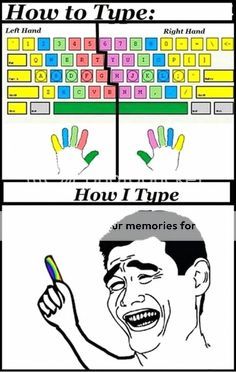
 photo 7bfb1a946519883767d6774625087b94_zpsttwpbt9l.jpg

How to place your fingers
Place your left pinky finger on key 'A'
Left ring finger on 'S'
Left middle finger on 'D'
Left index finger on 'F'

Now place your right index finger on 'J'
Right middle finger on 'K'
RIght ring finger on 'L'
and right pinky on ';' key

Finally place both of your thumbs on space bar

Names of fingers - Click Here

Key Layout
Index Fingers - Green
Middle Fingers - Red
Ring Fingers - Yellow
Pinkies - Blue

 photo keylayout_zpsrweavafi.png

Well personally I sometimes use my thumb to type 'B' because it is faster and convinient and very minimal hand movement is needed to reach 'B' in that way. For typing capitals use left shift because in some keyboards reaching right shift is inconvenient.

This post will be updated later!!!

Welcome

Tharindu's Blog Welcome to my Blog!!!
Welcome to sdtlk.blogspot.com. We offer you interesting news related to Wrestling, Movies, Games and world wide news.